

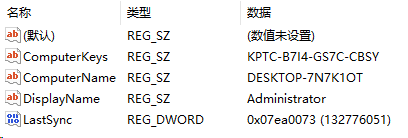
一、按住键盘win+R打开,输入regedit
regedit二、找到计算机\HKEY_CURRENT_USER\Software\TEAM R2R\Sphere Manager
计算机\HKEY_CURRENT_USER\Software\TEAM R2R\Sphere Manager1、新建“字符串值” —–名称:
ComputerKeys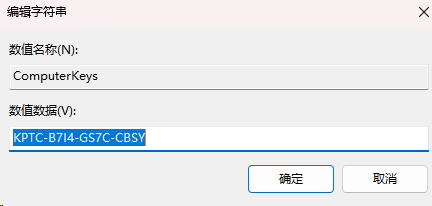
2、新建“字符串值” —–名称:ComputerName
ComputerName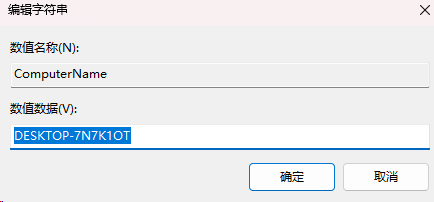
3、新建“字符串值” —–名称:DisplayName
DisplayName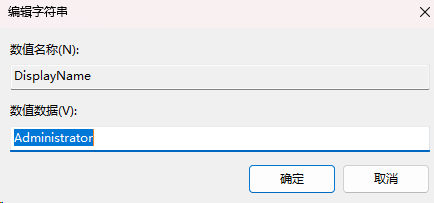
4、新建“DWORD(32位)值D” —–名称:LastSync
LastSync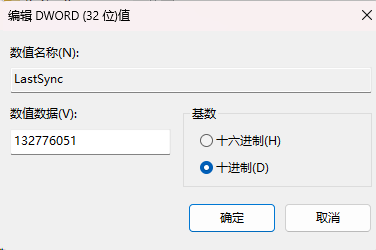
如果觉得太麻烦有个工具:
下载地址:
© 版权声明
THE END
喜欢就支持一下吧
付费阅读
评论 抢沙发

欢迎您留下宝贵的见解!



暂无评论内容